Expense, income, transfer
There are only three allowed directions, and each one means a different kind of transaction:
- a blue circle onto a yellow one — income: money arrived from a source into an account;
- yellow onto green — expense: money left an account for a category;
- yellow onto yellow — transfer: money moved from one of your accounts to another.
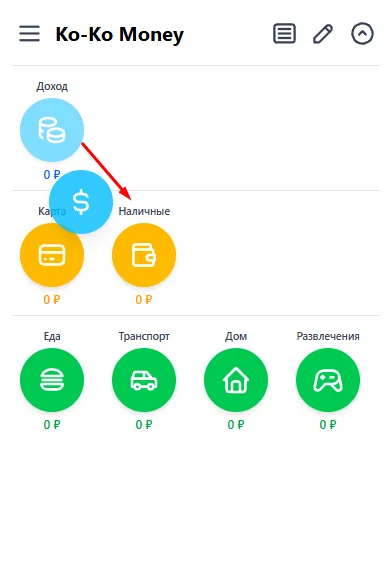
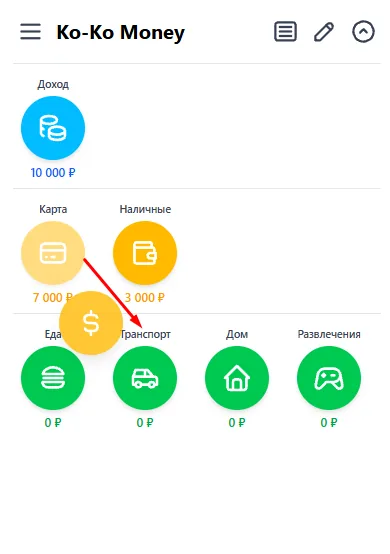
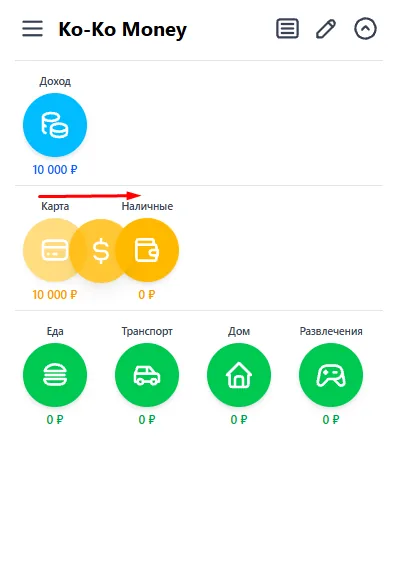
Other combinations do not work at all: a category cannot be picked up, and an income source cannot be dropped onto a category. The app simply will not let you record a transaction that does not exist.
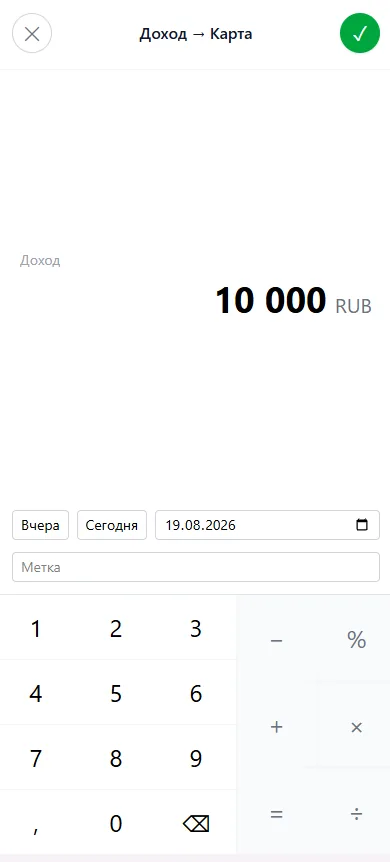
Now the important part about transfers. They are left out of the monthly totals — “income” and “expenses” — and that is not an oversight but the only correct arithmetic. A transfer neither earns nor spends: it moves money from one of your pockets into another. Count it as an expense and cash withdrawn from a card becomes spending, and then the same money is spent a second time when you buy groceries with it. The same money would be counted twice.
A transfer only changes the balances of two accounts: one goes down, the other goes up. It does not appear in Analysis, in the Chart, in the monthly totals or in the daily report — and it should not. You can find transfers in the feed.