Dragging: the three rows of circles
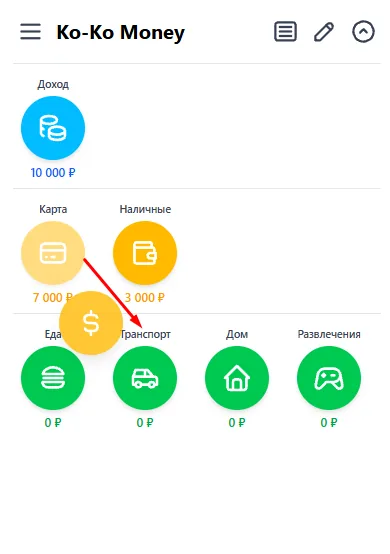
Transactions here are not created through an “add” button and not picked from lists. Press a circle and, without letting go, drag it onto another circle — that gesture is what creates the transaction. The direction carries the meaning: what went from where to where.
While you drag, a copy of the circle follows your finger and the one you started from stays pale. Categories cannot be dragged — they are only ever a target: money goes to them, never from them.
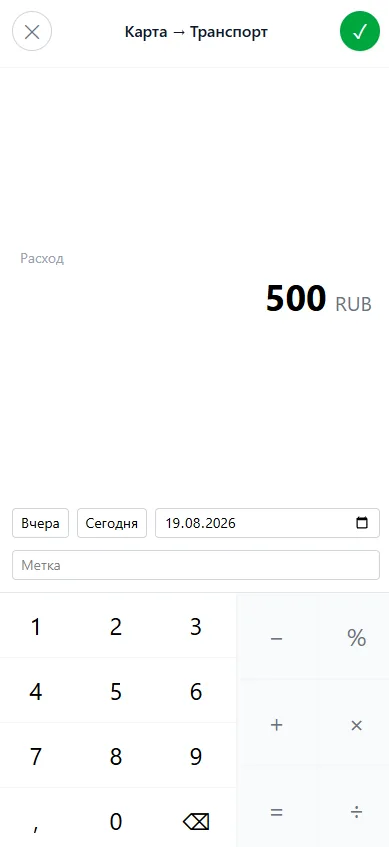
Let go and the amount screen opens. The header says what you are doing: “Card → Transport”. To the left of the amount the app names the kind of transaction — expense, income or transfer.
A short tap on a circle is not a drag and does something else entirely: it opens the feed with only that circle's transactions.