Amount, date, tag; editing and deleting
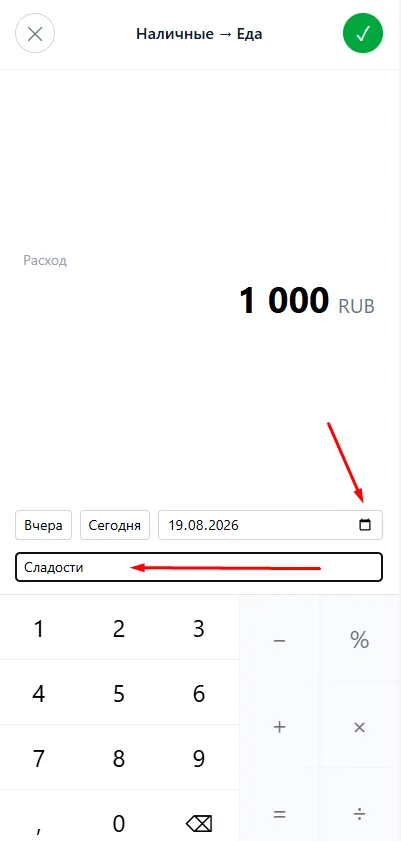
The amount screen opens right after a drag. Besides the amount it holds two more things: the date and a tag.
You do not have to do the arithmetic yourself: the keypad handles plus, minus, multiply, divide and percent. Type “1200+350” and save — the app works it out.
The date defaults to today. The “Yesterday” and “Today” buttons cover the most common case, and the date field opens a calendar for anything older.
A tag is a short note in your own words: “Sweets”, “Tbilisi trip”, “present for mum”. It does not replace the category, it refines it — and later you can filter Analysis by tag and see a breakdown. A transaction carries one tag.
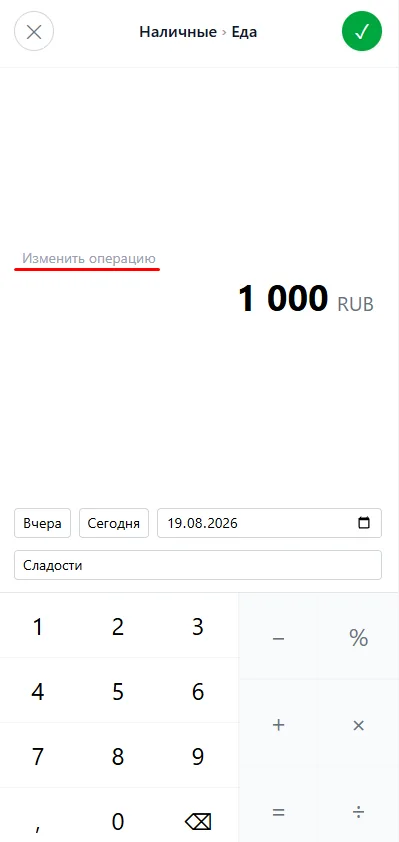
You can fix a transaction at any time: open the feed and tap the transaction. The same screen opens, now labelled “Edit transaction” — change the amount, the date or the tag and save with the check mark.
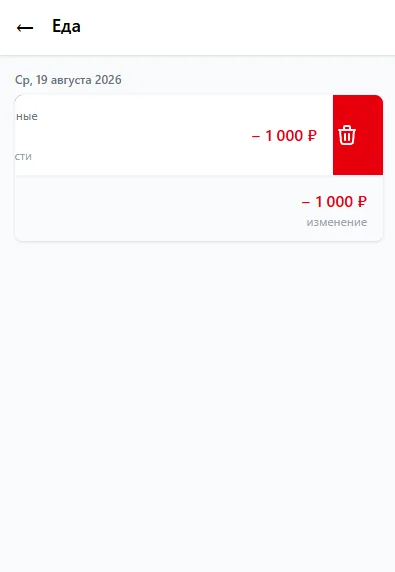
To delete, swipe the transaction left until the red bin appears. Right after deleting, an “Undo” line shows at the bottom: while it is visible the transaction can be brought back.